

Top 5 Best Free Drawing Apps for Android
Description
Finding a decent graphics editor often turns into an endless cycle of downloading dozens of different apps. Our guide takes a detailed look at the most capable options, focusing on their interfaces and key tools. The article covers only the free versions of the software. This filter helps save money while letting you test the product you actually need right away.
1. HiPaint
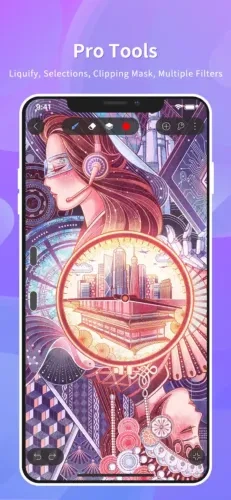
Android users finally have a worthy alternative to the famous Procreate. The developers have done an excellent job adapting the interface logic to the new platform. The menus are clean and well organized, while the brush engine runs smoothly and delivers excellent responsiveness.
The app is completely free, although intrusive ads can sometimes get annoying. Extremely large canvases may also cause occasional slowdowns. Despite these minor issues, the editor is an excellent choice for both beginners and experienced professionals.
2. Sketchbook
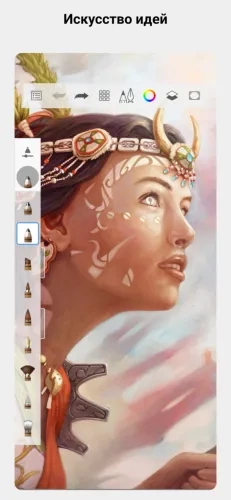
The history of this app has taken some interesting turns. Autodesk initially gave the product away to students, then introduced a paid subscription, and has now made the editor completely free again.
Industrial designers particularly value the software for its ability to create quick sketches. Its toolkit can take projects to a professional level without unnecessary hassle. The interface doesn't feel outdated at all, and YouTube is packed with detailed tutorials.
3. Krita
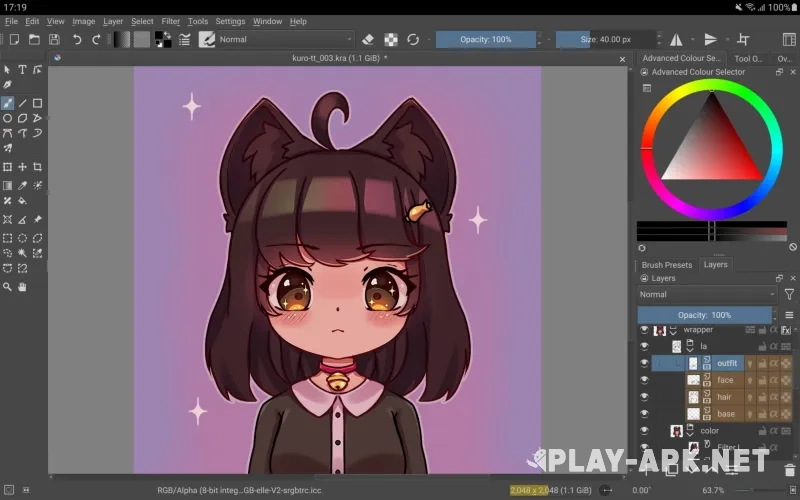
This is a true heavyweight in the world of mobile digital painting. The control panel is packed with settings and looks a lot like the desktop version of Photoshop. The sheer number of buttons can easily overwhelm beginners, but experienced artists get almost complete creative freedom.
The app continues to evolve thanks to its open-source code. Enthusiasts regularly release useful updates and quickly fix bugs based on user feedback. This approach makes the program remarkably stable.
4. ibisPaint X
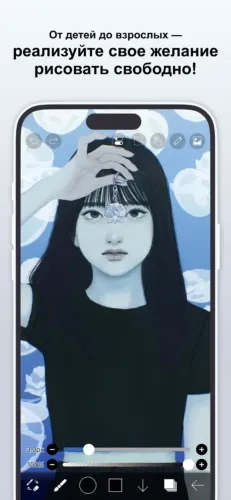
The basic version comes with a huge library of assets, similar to what you would find in Canva. The catalog contains more than 20,000 backgrounds, textures, and ready-made graphic elements. A paid subscription is mainly useful if you want to remove the banners.
The developers have designed the workspace thoughtfully, making drawing comfortable from the very first minute. The start menu looks rather clunky, but you will hardly spend any time there anyway.
5. ArtFlow
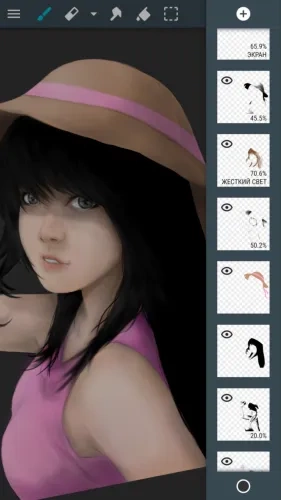
A great option for getting started without unnecessary complications. The interface isn't overloaded with details, the software runs smoothly, and there is virtually no lag. The app feels like a significantly stripped-down version of HiPaint.
However, the developers have placed some fairly strict limitations on the free version. Most layers and working brushes are locked. Full functionality requires either watching ads to unlock access for half a day or making a one-time purchase for the full version.